> For the complete documentation index, see [llms.txt](https://dvote.gitbook.io/docs/llms.txt). Markdown versions of documentation pages are available by appending `.md` to page URLs; this page is available as [Markdown](https://dvote.gitbook.io/docs/welcome-to-dvote/user-guide/voting.md).
# Voting
## Who can vote on proposal?
Certain factors determine whether you can vote on a particular proposal.
## Voting Power
Voting power is the level of influence you have when voting on a proposal. How much voting power you have depends on the strategy set up for a particular space.
## Cast a Vote
1. Click the `Connect Wallet` button in the top right corner of the screen.
2. Choose the wallet you want to use, the one where you keep the tokens you need for voting in your chosen space.
3. Go to the space page on **DVOTE** and find the active proposal you want to vote on.
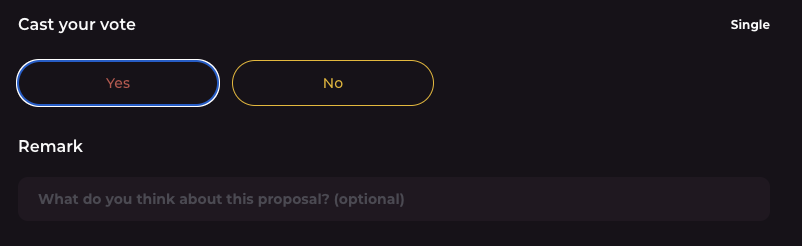
4. Select the option(s) you want to vote for. Different proposals can use different voting systems.
`Remark` **-** You can write a comment to your vote to share your thoughts or feedback.
5. Click the `Vote` button, then sign the message with your wallet when it asks you to.
6. :white\_check\_mark: And that's it! You've just voted
{% hint style="warning" %}
Voting on **DVOTE** won't impact your account or any funds you have in your wallet.
{% endhint %}
## Discussion
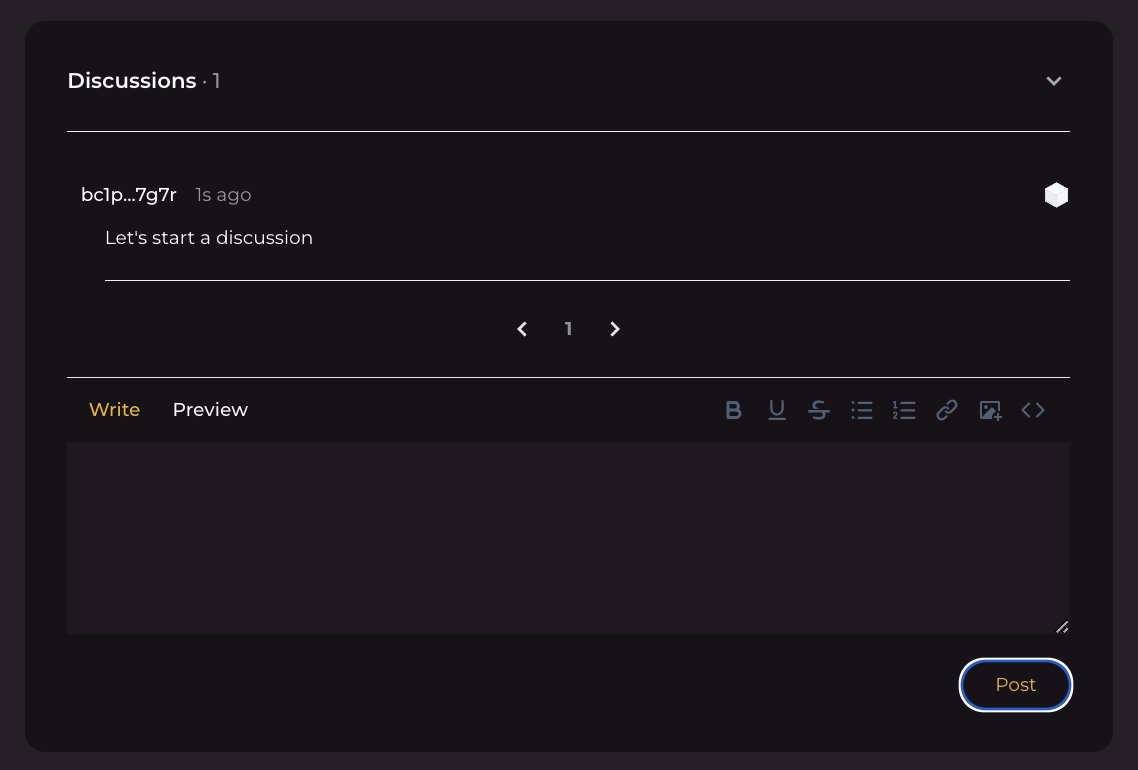
If you want to leave feedback, there's a `Discussion` section at the bottom of the page. This is where you can comment on a proposal without having to vote. You can even add your thoughts if the proposal has already closed.
To leave a comment or feedback, just type your message in the box, then hit `Post`. You'll need to sign a message to make sure your feedback gets posted.
## Results
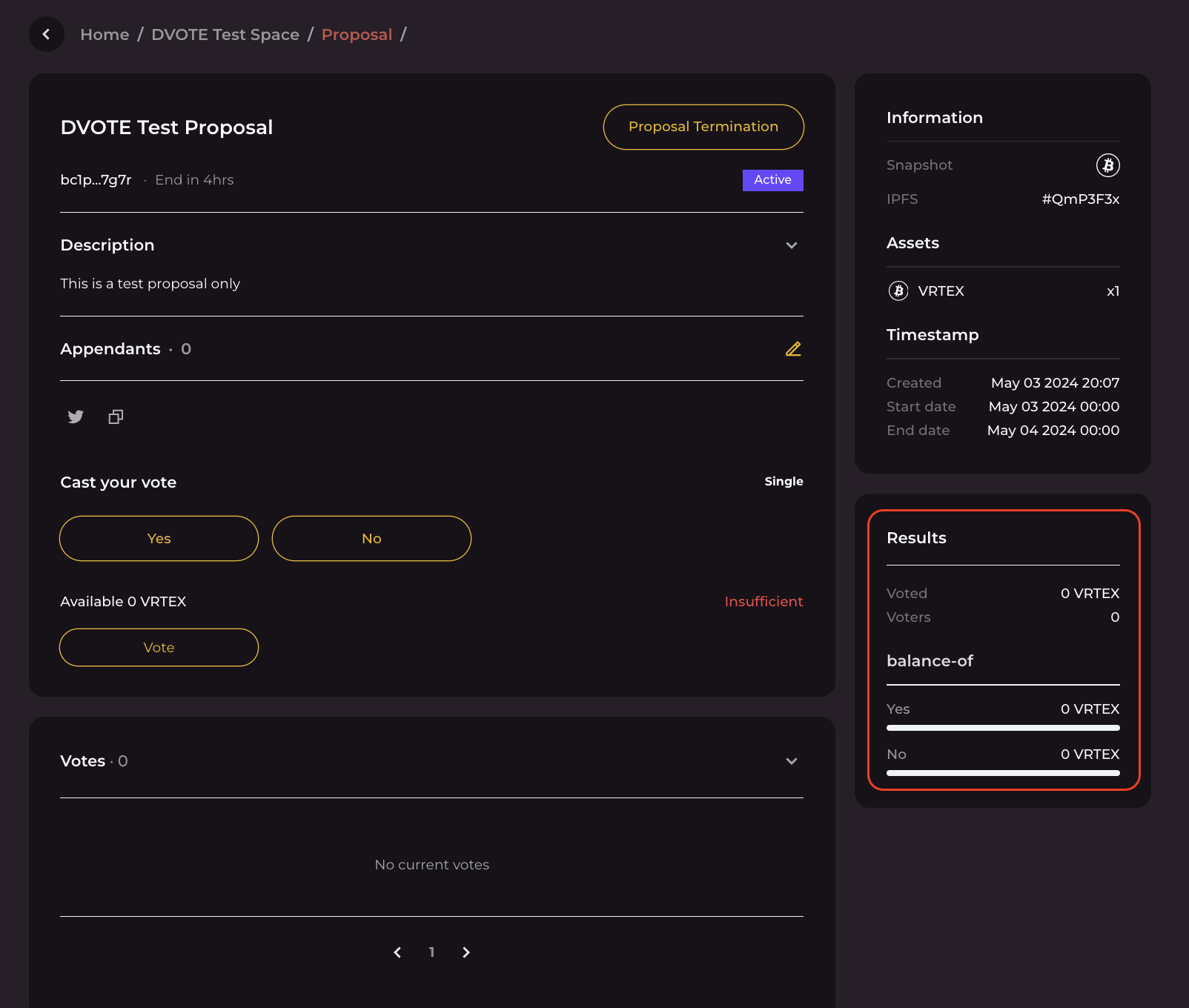
This section gives you an overview of the proposal's current status. It shows you how much total voting power has been used on the proposal and how many people have voted.
It also tells you the amount of voting power used for each specific choice.